Post on X. Show up on LinkedIn.
A free Chrome extension. Post on X like you always do, and the same post, photos and all, shows up on LinkedIn. It brings back your best old posts and tells you the best time to post them.
Why I built it
Every client I've ever had found me on X. I kept meaning to post on LinkedIn too, and never did. So I built this.
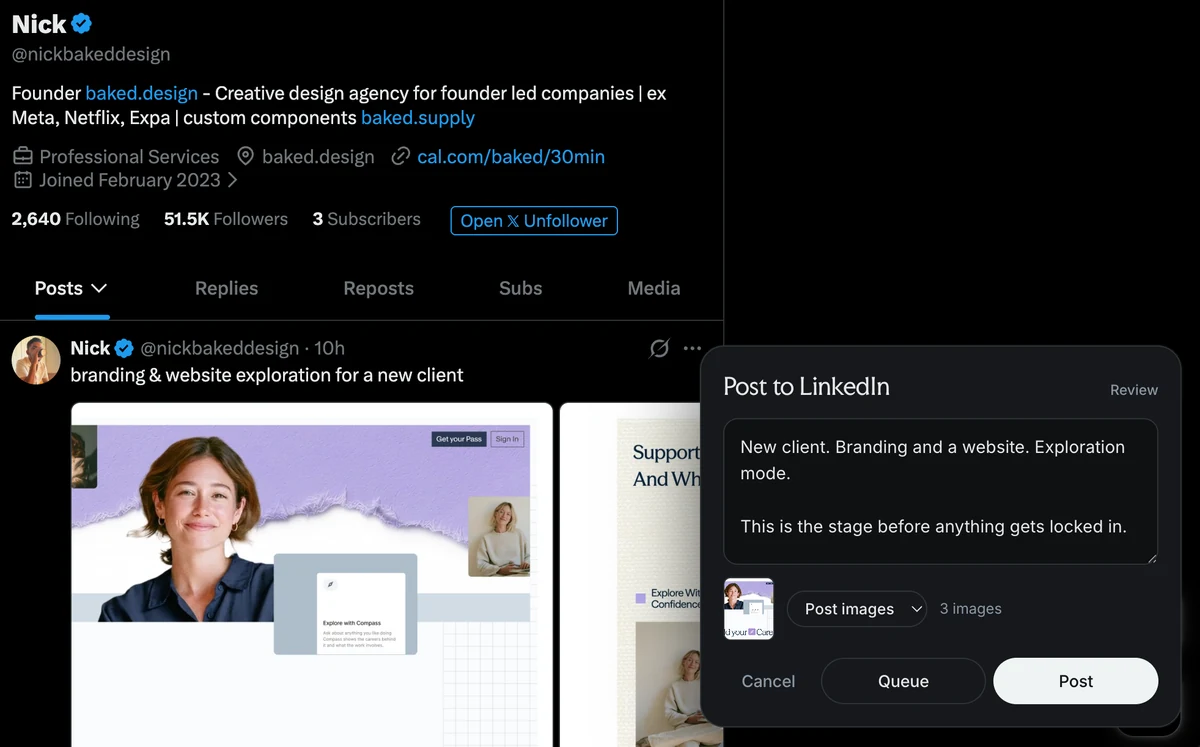
1Post once, show up twice
Write it once on X. It shows up on LinkedIn right away, after a short countdown, or when you give it the nod.
- Skips replies and quotes
- Threads become one post
- #xonly keeps a post on X
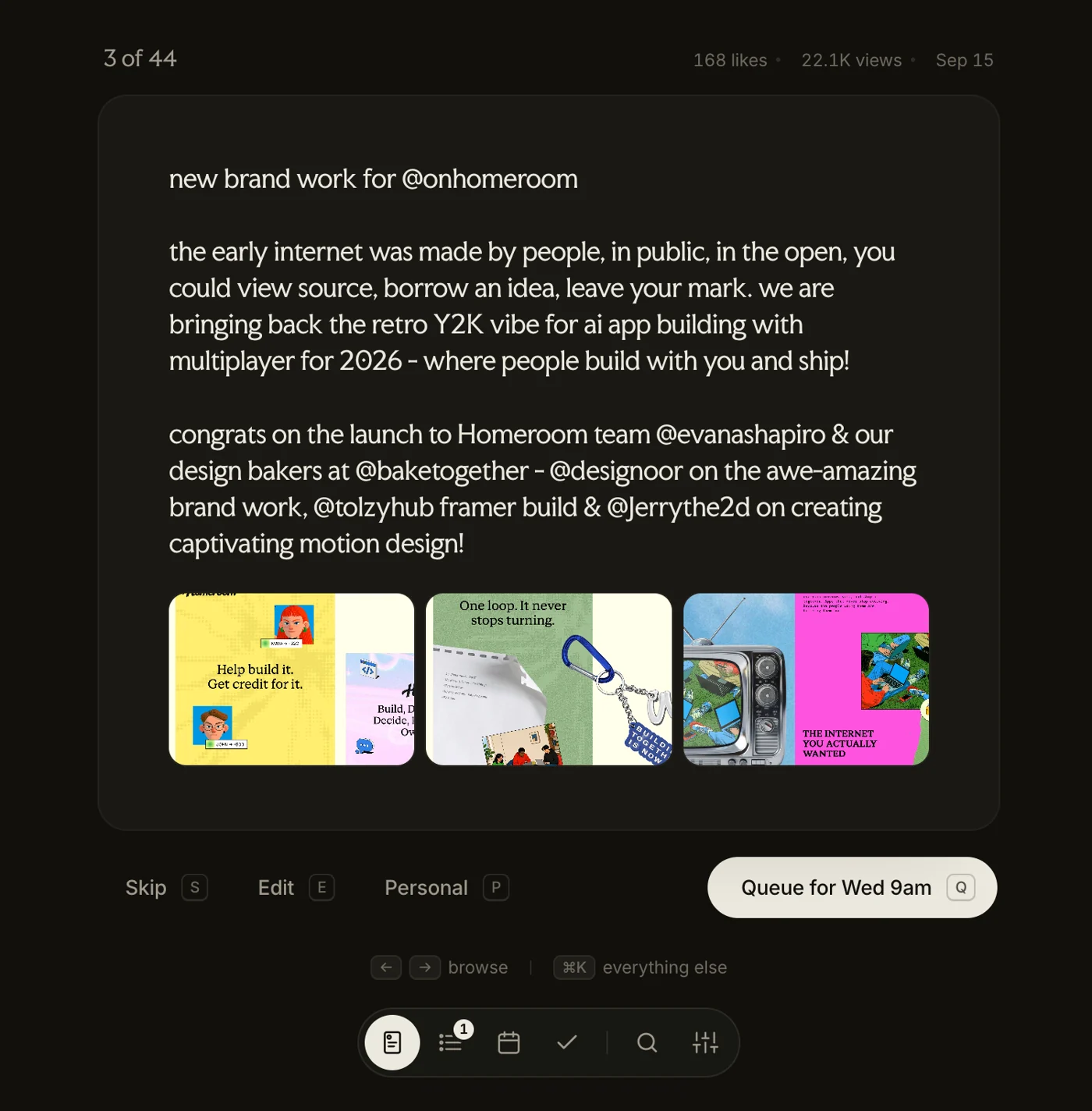
2Your best old posts
Pull in your X history and it shows you your best posts first. Queue, skip or tweak each one with a single key.
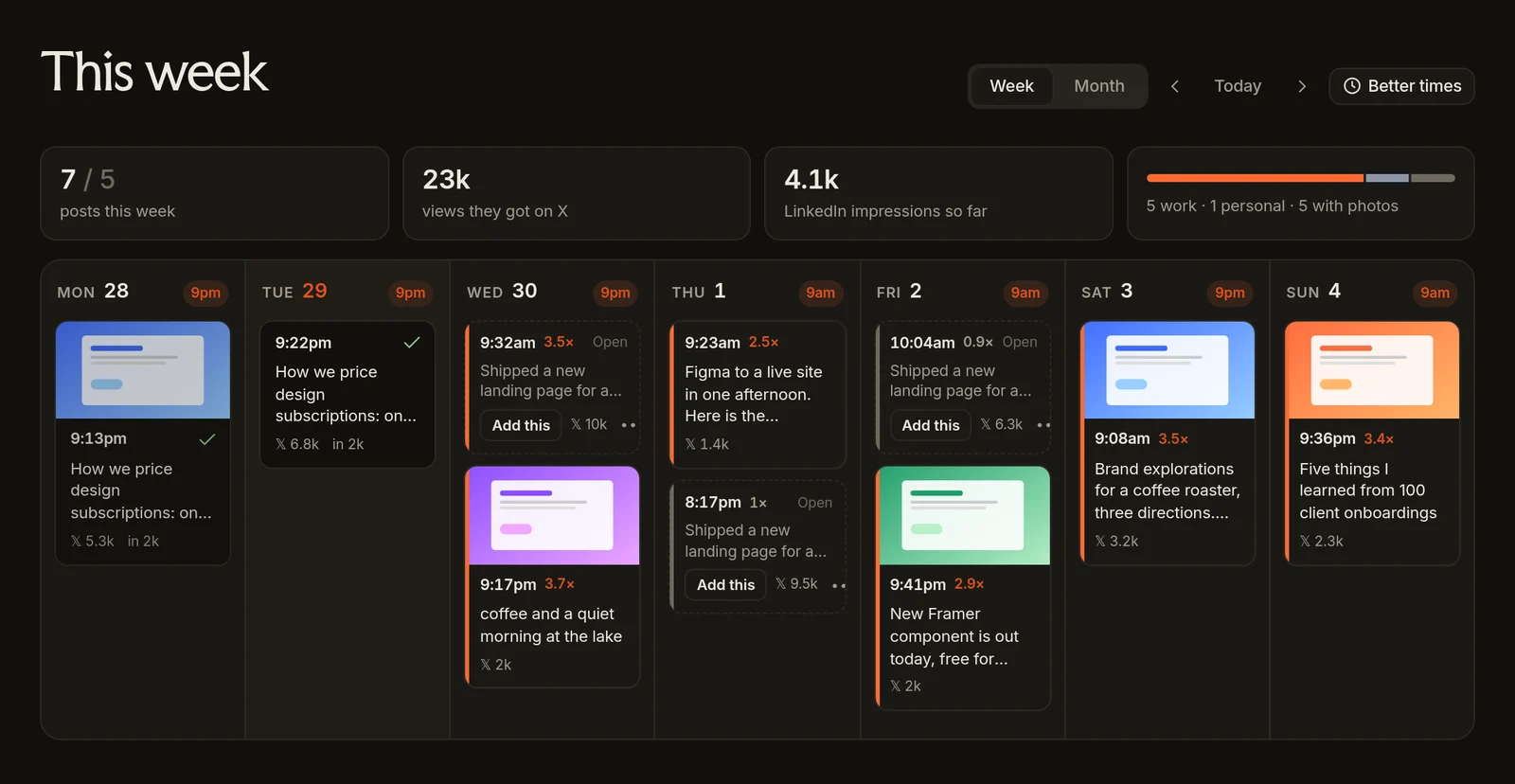
3A week that plans itself
Pick the days you want to post. It fills the gaps with your best work, at the hours your posts actually do well.
- Natural times like 9:17, not 9:00 on the dot
- Drag a post to a day and it lands on that day's best hour
- One click moves your queue to better times
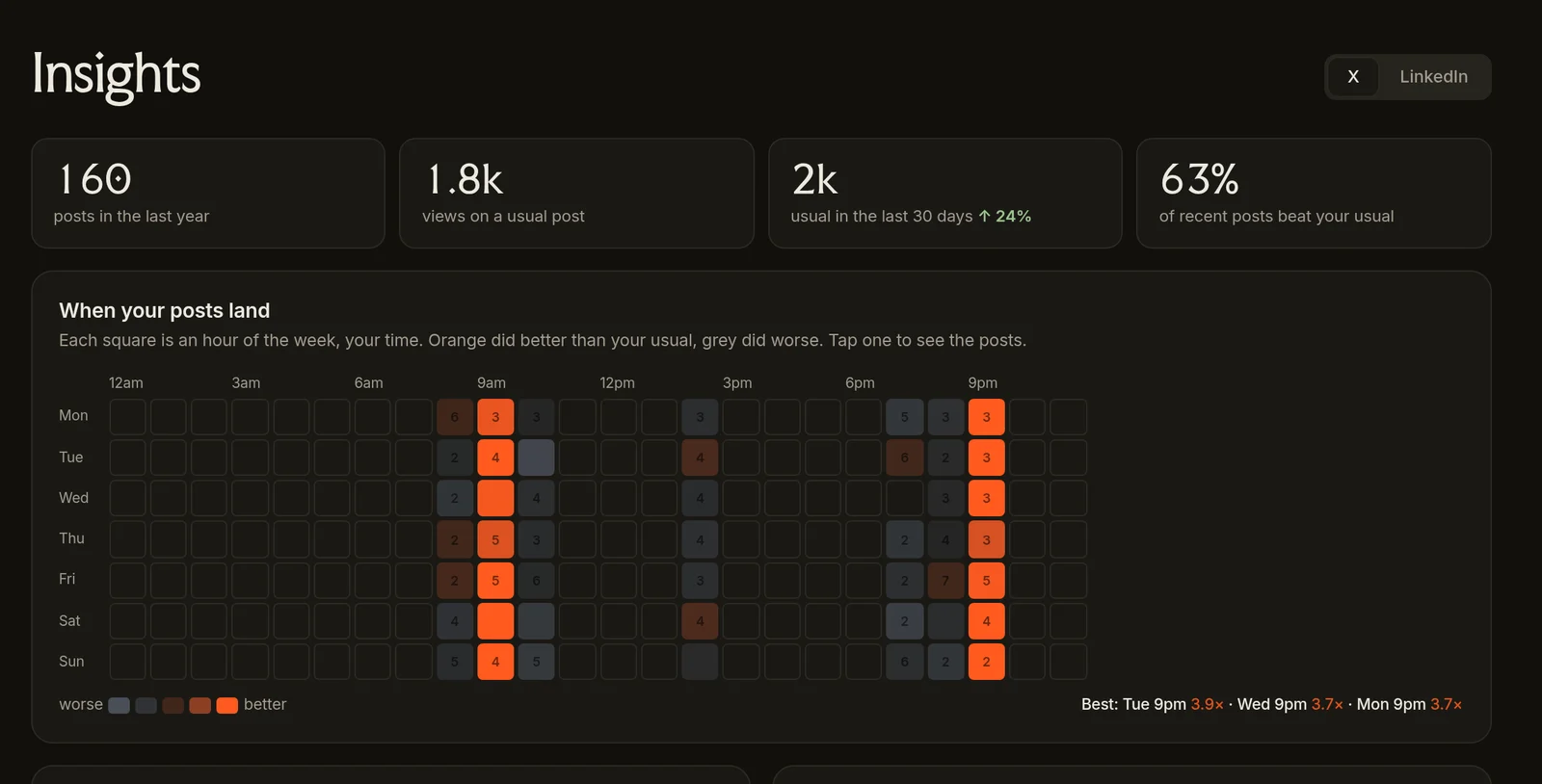
4See what's working
A heat map of every post you've made, on X and LinkedIn. You can see when they landed, what kind of post works for you, and what flopped.
- Your best hours, from your own numbers
- What to post next, plus post ideas if you add your Claude key
- Reads your LinkedIn stats right in your browser
5Personal posts stay on X
Your weekend photos and "gm" posts stay on X, where they belong. If it gets one wrong, press P and it learns.
Images carry over
Up to 9 photos, straight across.
Better hooks
Want a punchier first line? Add your Claude key and it rewrites in your voice.
Private
It all runs in your browser. No servers, no account, nothing to sign up for.
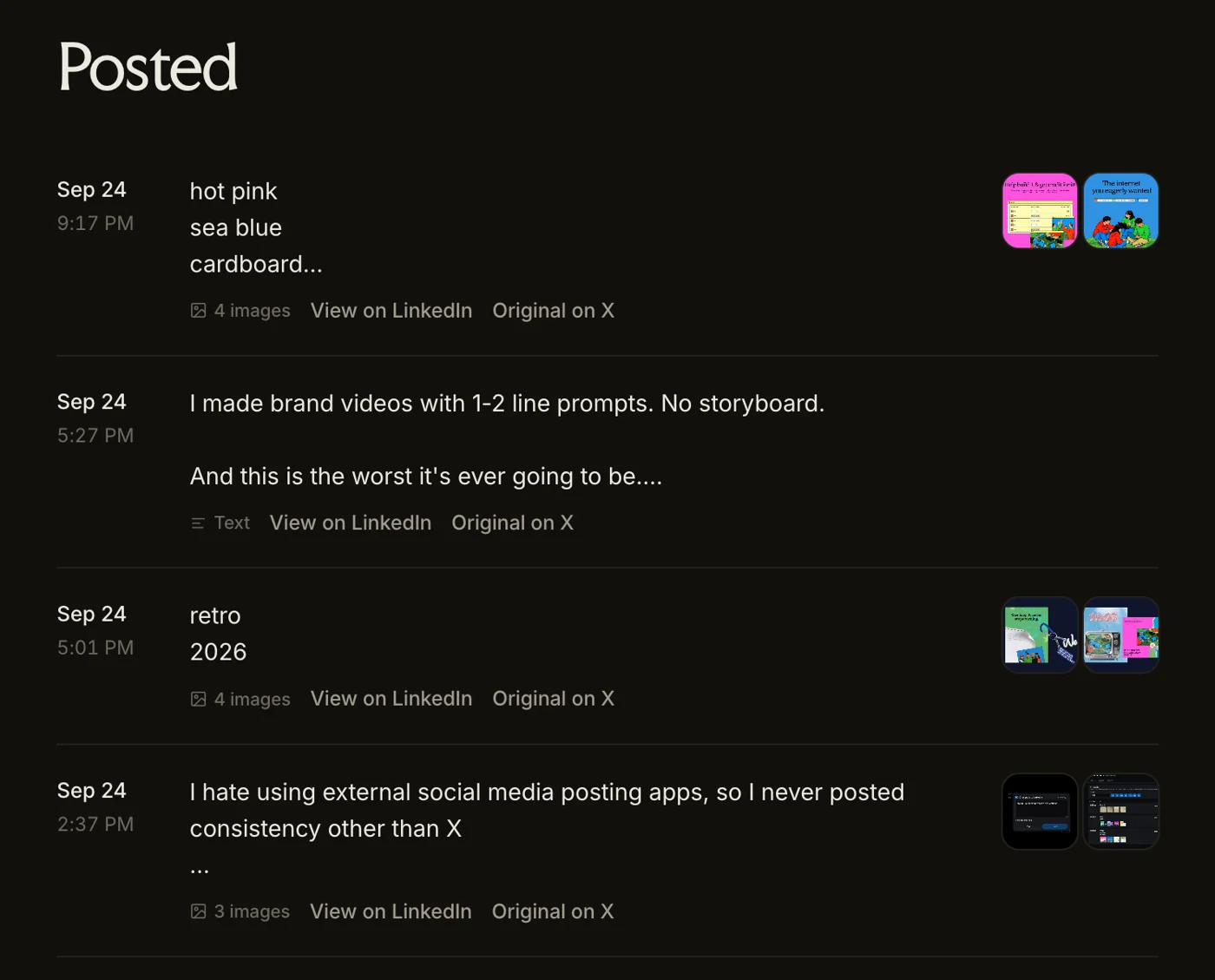
Everything you've posted, photos included.
Set it up
About 10 minutes, once. It walks you through every step.
- Add to Chrome2 min
- Download Crosspost and unzip it.
- Open
chrome://extensionsand turn on Developer mode (top right). - Click Load unpacked and pick the
crosspostfolder. Crosspost's Settings page opens by itself.
- Make a LinkedIn app6 min
- Need a LinkedIn Company Page first? Make one here, free, 1 minute. Any name works.
- Go to linkedin.com/developers/apps/new. Name it Crosspost, pick your Company Page, add any logo, tick the box, Create app.
- Products tab: click Request access on Share on LinkedIn and Sign In with LinkedIn using OpenID Connect. Both are instant.
- Auth tab: under Authorized redirect URLs, click the pencil and paste the Redirect URL from Crosspost's Settings (LinkedIn app details → Copy). Click Update.
- Still on Auth: copy the Client ID and Primary Client Secret into Crosspost's Settings.
- Connect and import2 min
- In Crosspost's Settings, click Connect LinkedIn at the top and approve.
- Click the Crosspost icon in Chrome's toolbar (pin it from the puzzle piece) to open your dashboard.
- Click Import from X. It opens your X profile and pulls in your posts while it scrolls. Lost Settings? Press ⌘K in the dashboard and type Settings.
- Want your LinkedIn numbers too? Open Insights, switch to LinkedIn and click Read my LinkedIn stats.
What you need
Crosspost Hosted · coming by October 30
Same Crosspost, without the setup. I'll run it for you, so it works even when your laptop's closed. The extension stays free and open source either way.
No setup
Connect LinkedIn in one click. No developer app, no Company Page.
Laptop closed? Still posts
Scheduled posts go out on time, whether Chrome is open or not.
More than one account
Run a few people or brands from one place.
$9/mo for founding members, locked in for life. It'll be $15/mo after launch.
Nothing is charged today. Your card is only charged when Crosspost Hosted launches, and you can cancel anytime before that and pay nothing.
Details
Is it free?
Yes, the extension is free forever. No catch. Crosspost Hosted is an optional paid version for people who'd rather skip the setup.
Why my own LinkedIn app?
So your LinkedIn login stays with you, not us.
How does it spot personal posts?
It scores each post right in your browser. Press P when it gets one wrong.
Open source?
Yes, MIT licensed. Read every line on GitHub before you install it.
How does it pick the best times?
Each post is scored against your usual, not in raw numbers, so one viral post can't pick your times for you. A time needs at least three posts behind it, and it waits for about 20 posts of history before suggesting anything. LinkedIn gets its own times from your LinkedIn numbers once you have around 15 posts there, since it peaks later than X.
Does Chrome need to be open?
Only for scheduled posts. If Chrome was closed, they go out as soon as you open it.
From the X phone app?
Not yet. It works when you post from X in desktop Chrome.
Video?
Not yet, but the words still go.
Claude costs?
It's optional. If you use it, you pay Anthropic directly for what you use.
What's Found?
Our AI email app for studios. Signing up here gets you early access.
Get Crosspost free
Pop in your email and the download is yours, right away.